Automate and govern everything around file transfers
Axway MFT delivers the file. Automator orchestrates and governs the processes that surround it. That includes validations, approvals, tickets, downstream jobs, partner onboarding, incident response, and audit evidence.
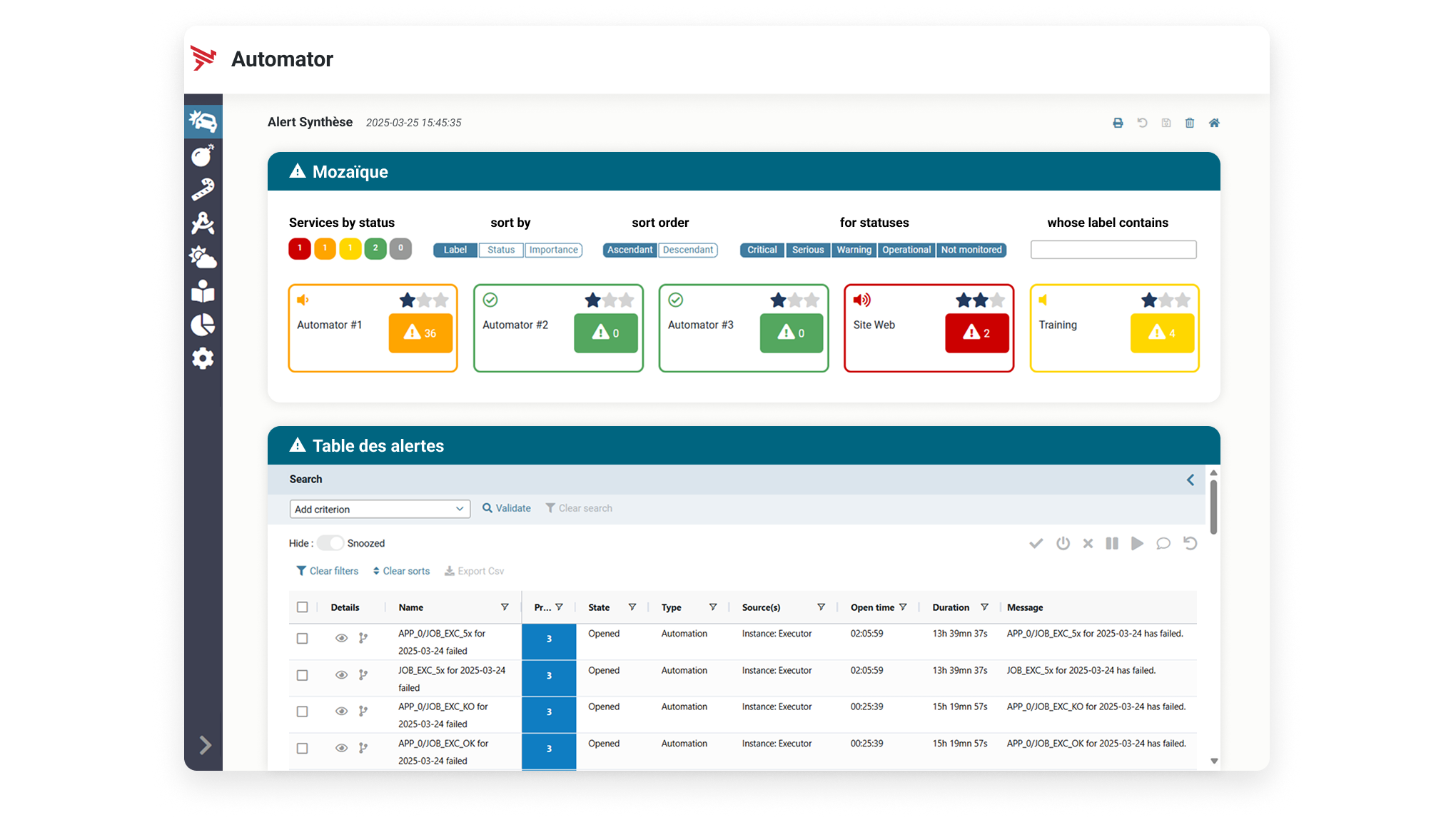
Critical file-based processes still depend on fragile coordination
Many enterprises trust managed file transfer (MFT) for secure delivery, but the broader process still runs through manual runbooks, hard to maintain scripts, disconnected tickets, scheduler jobs, and operational handoffs.

Teams still check and chase
Operators restart transfers, update tickets, notify teams, request approvals, and escalate issues by hand. Each manual step adds cost and risk.

No single process view
MFT, scripts, schedulers, ITSM, CRM, ERP, SIEM, and monitoring tools often operate separately, making the full process hard to control.

Processes are disconnected
Downstream jobs run before files are available, complete, expected, validated, or approved. The business process fails even when file delivery worked.
Once the file has arrived, trigger the next step
Schedulers and scripts often fire because a clock says it is time. Automator helps file-based processes respond when the data is actually ready.

Process blind scheduling
Traditional jobs may run on a fixed schedule or a basic file event, without knowing whether the file is valid, complete, expected, or approved.
- Polling scripts and manual wait steps
- Limited context from MFT activity
- Hard-to-audit exception handling
- Operational logic buried in scripts

Data-aware business process orchestration
Automator can orchestrate workflows around file state, business rules, approvals, notifications, tickets, and downstream dependencies.
- File arrived, complete, expected, and available
- Validation and approval before release
- Governed no-code process logic
- Auditable actions around the transfer
Orchestrate the operations around business-critical files
Automator extends the value of Axway MFT by coordinating the actions that make business processes run on time, with fewer missed steps.
Orchestrate dependencies
Ensure the right steps happen in the right order before and after the file moves.
Accelerate partner onboarding
Coordinate approvals, tickets, CRM updates, and security tasks.
Reduce manual work
Replace emails, ticket chasing, operator runbooks, and unmaintainable scripts with governed runbook automation workflows.
Improve resilience
Detect issues, trigger remediation, escalate correctly, and reduce disruption to the business process.
Strengthen governance
Create a clearer operational chain of evidence around sensitive and regulated file-based processes.
Scale operations
Add partners, applications, and file flows without increasing operational overhead at the same rate.
How teams can use Automator today
File transfers are part of a wider process. Automator orchestrates and governs those processes to support real business outcomes.

File arrival triggers downstream processing
Validate that the file is present, complete, expected, and ready before downstream jobs run. Monitor the process chain end to end.

Automated incident handling
Create a ticket, alert the right team, trigger diagnostics, attempt approved recovery actions, and escalate when an SLA is at risk.

Change-controlled MFT updates
Coordinate change requests, approval, execution, validation, and closure for configuration changes, partner updates, or new routes.

Approval workflows for sensitive files
Govern high risk file exchanges with business or compliance approval before a sensitive file is released.

Zero downtime update runbooks
Orchestrate maintenance steps, checks, notifications, service actions, validation, and fallback around controlled MFT updates.

SLA escalation and notification
When a file has not arrived by the required time, check dependencies, notify teams, open a ticket, and trigger escalation.

Multi-system reconciliation
Keep technical file activity aligned with downstream applications, tickets, CRM records, and the wider business process.

Regulated operations and auditability
Capture the approvals, checks, notifications, and recovery steps around file movement, not just the transfer log itself.
Built for teams who own file-based operations
Automator's connectivity into the wider IT ecosystem means its value extends beyond MFT teams.
MFT operations teams
Reduce manual runbooks, ticket chasing, exception handling, downstream dependencies, and operational handoffs.
CIOs and COOs
Improve operational maturity around SecureTransport and Transfer CFT.
Integration and automation teams
Connect MFT events, APIs, ITSM, CRM, ERP, and downstream workflows into a broader IT process automation strategy.
Workload automation (WLA) and scheduling owners
Embed MFT steps into orchestration workflows with file state, completeness, provenance, visibility, and governance.
Business operations sponsors
Reduce onboarding delays, process friction, and dependency on IT for every operational step.
Security, risk, and compliance
Govern approvals, credential handling, change control, audit evidence, and actions around sensitive file exchange.
Automate operations without forcing disruptive rip and replace projects
Automator can coexist with existing schedulers and WLA tools while adding governed MFT automation and orchestration around the transfer.

Replace brittle scripts
Move critical process logic from isolated scripts into readable, governed, no-code workflows that are easier to maintain and audit.

Complement enterprise WLA
Keep broad enterprise scheduling in place while Automator owns MFT orchestration and file state awareness.

Go beyond ticket creation
ITSM is part of the process, but Automator can also coordinate provisioning, validation, downstream jobs, notifications, and recovery.
Common questions
Doesn’t MFT already automate transfers?
Yes. MFT automates the secure movement of files. However, Automator addresses the broader opportunity. Orchestration of the business processes which surround MFT, including approvals, tickets, CRM updates, downstream jobs, exception handling, and audit steps.
How is Automator different from a scheduler?
Schedulers are useful for time-based execution. Many business processes need more context, such as whether the file arrived, is complete, is expected, is validated, and is ready for the next business step.
Can Automator work with our existing WLA tool?
Yes. Automator can coexist with broad workload automation tools, however Automator has been designed specifically with no-code integration into MFT solutions in mind. Automator can extend your existing WLA tool by giving greater visibility and orchestration capabilities into MFT, and provide an eventual disruption-reduced path to replacing your WLA with Automator.
Can Automator help replace scripts around MFT?
Automator helps industrialize script based activities by moving critical process logic into governed, readable, no-code workflows with better auditability and reduced dependency on a small number of experts.
Is this the same as ITSM?
No. ITSM is often part of the process, but not the whole process. Automator can create or update tickets while also coordinating MFT provisioning, security checks, notifications, validation, downstream jobs, and recovery actions.
Where should customers start?
Start with a specific workflow where manual effort, risk, or delay is visible. For example, partner onboarding, critical file failure response, downstream job triggering, SLA escalation, or change controlled MFT updates.


