Play Video

Your business runs on file transfers

But, with operational reliance comes increased impact when things go wrong. Axway Workbench gives organizations a smarter way to run MFT.  

With Workbench, you can:
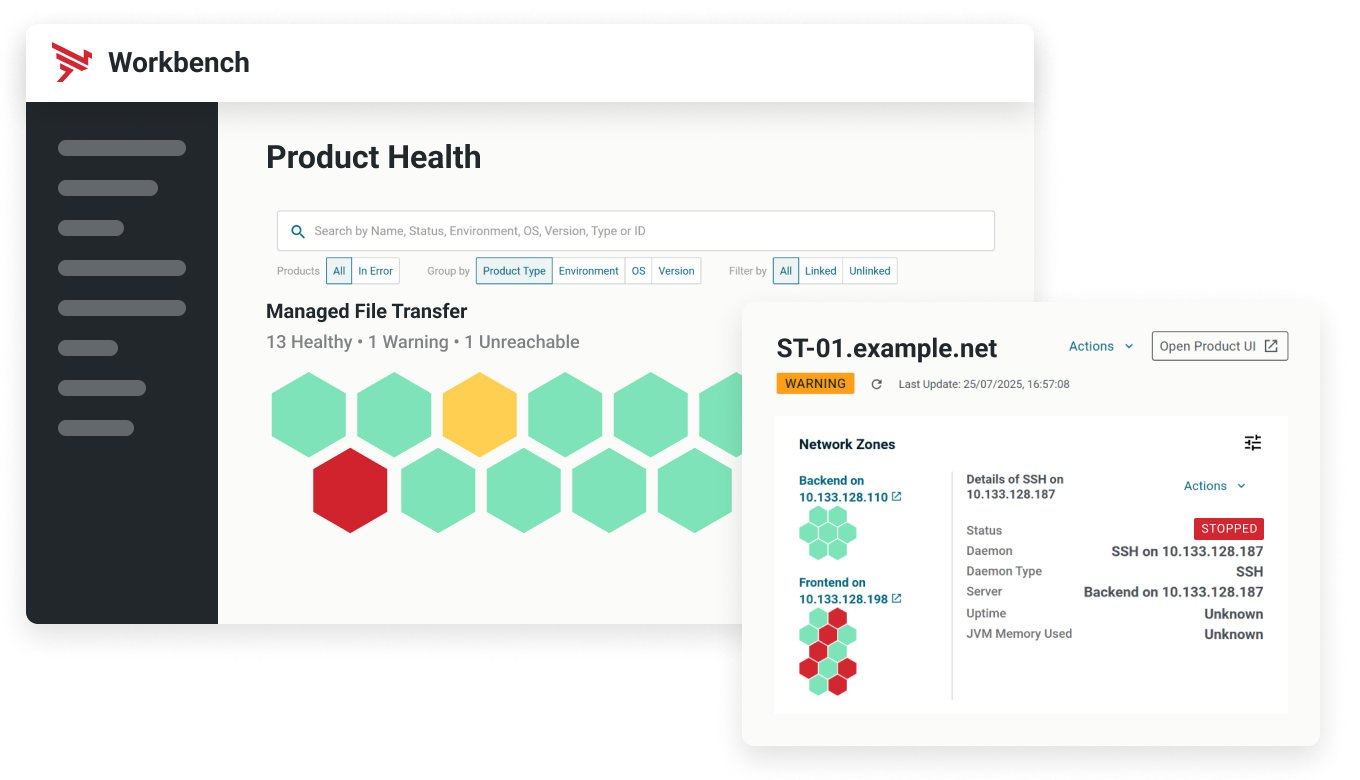
  • View the health of all SecureTransport and Transfer CFT instances from a single console
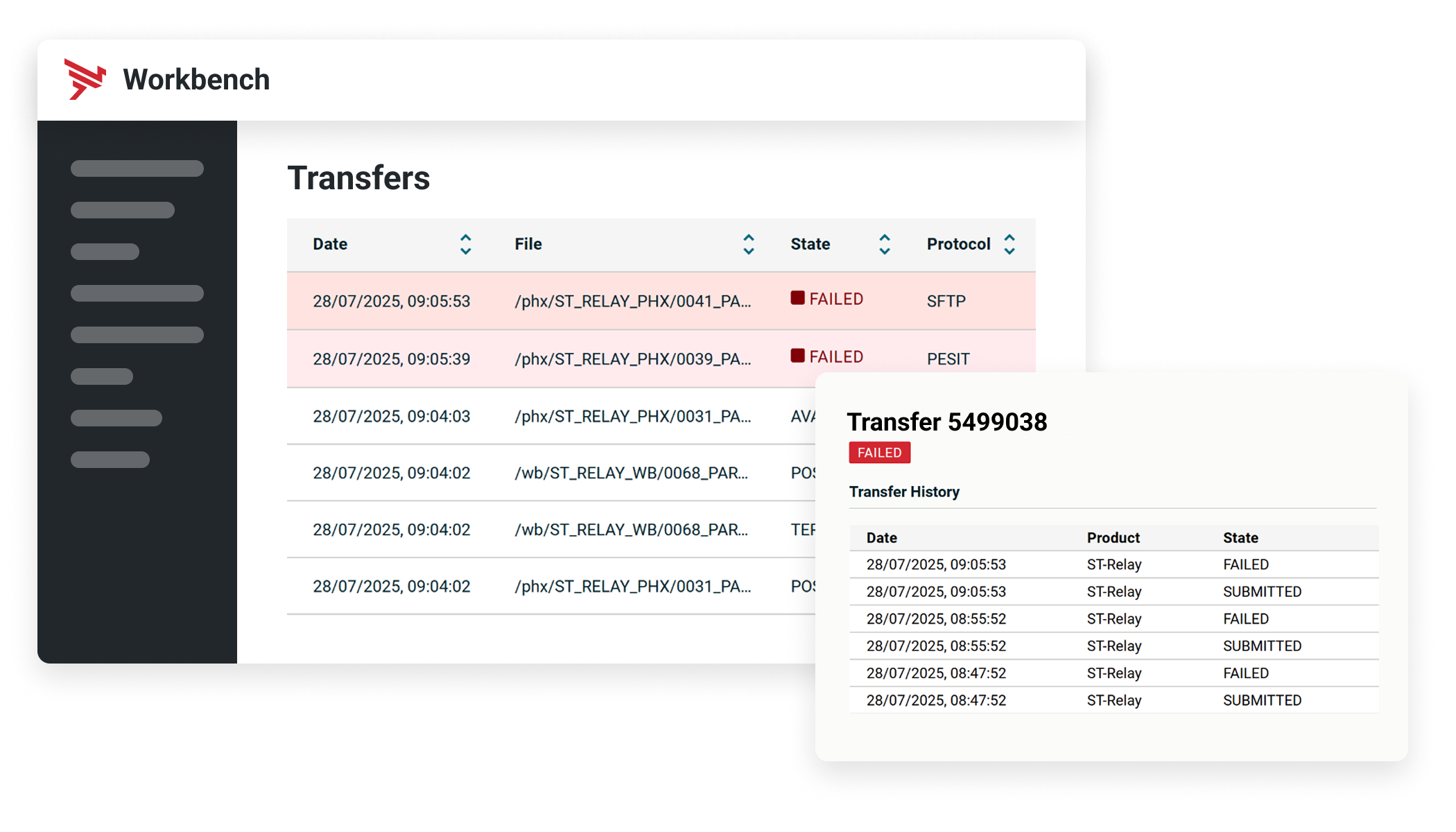
  • Track files end-to-end, no matter how many instances they passed through
  • Fix problems faster, with centralized start, stop and restart controls
  • Proactively alert when file conditions are unexpected or delayed  
  • Reduce complexity and manual overheads, giving MFT endless scalability 


Know where every file has been

Eliminate the guesswork. End-to-end file tracking shows exactly where every file is, where it came from, where it’s going, and where it may have failed — enabling faster triage and dramatically reducing downtime.  

Learn how you can manage complex MFT operations with intelligence, automation, and control.
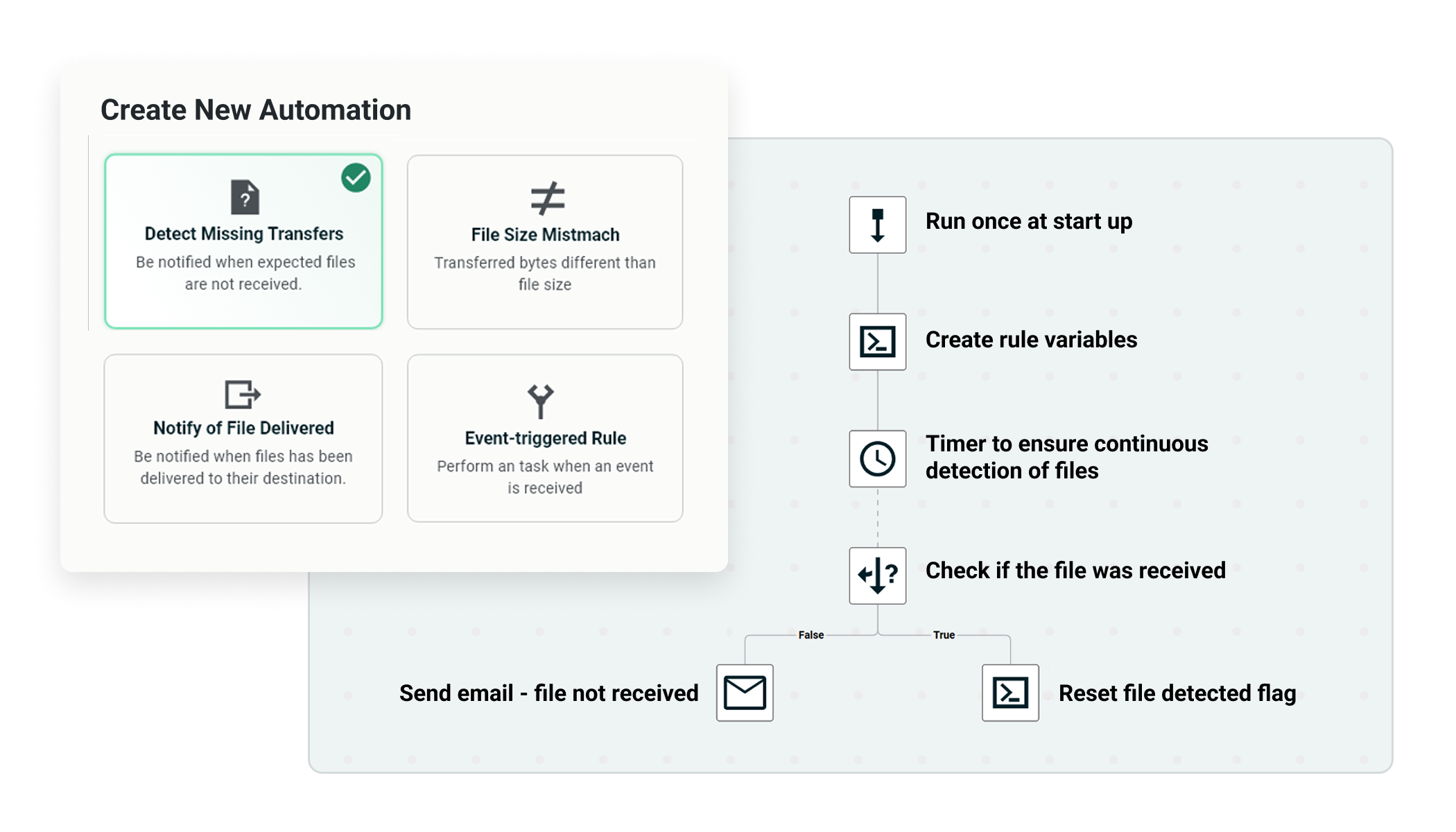
Automate the work that slows your team down

Cut operational workload with automated certificate management, configuration drift detection, provisioning, and alerting. Free your teams to focus on strategy instead of repetitive tasks.  

Read how to achieve predictable MFT with measurable ROI.

Learn more about Workbench

Here are answers to some of the most frequently asked questions about Axway Workbench. If you want to know more, contact us. We're ready to help.

What is Axway Workbench?

Axway Workbench is the latest addition to the Axway MFT portfolio. It's designed to bring visibility, observability, and operational management capabilities to SecureTransport and Transfer CFT deployments. 
 

Acting as a centralized governance and control layer, Workbench can be connected to environments with hundreds of MFT servers, reducing the internal costs and headaches associated with managing such large MFT ecosystems. 
 

Workbench takes MFT into the next stage of maturity – from functional application to automation and intelligence.
 

Workbench can accommodate up to two feeds from existing Axway SecureTransport and Transfer CFT servers, each providing different capability sets.


Event Router – The Event Router is an application used by SecureTransport and Transfer CFT servers to forward events to onward solutions, including Workbench. This feed exposes Workbench to all recorded file transfer events, providing visibility into file transfer movements for tracking and SLA monitoring.


REST API – Connectivity into the REST API endpoints of SecureTransport and Transfer CFT gives Workbench the ability to query the servers for more elaborate information about transfer events, product health, and interaction through action buttons.
 

Workbench has an array of capabilities spanning visibility, observability, and operational management.


Acting as centralized governance and control layer for MFT ecosystems with hundreds of SecureTransport and Transfer CFT servers, Workbench has the following high-level features:


  • View the health of all SecureTransport and Transfer CFT servers from a centralized point of control that lets you drill down into the health of individual daemons, services, queues, and resources the server relies on.
  • Restart, stop, or start problematic servers, daemons, or services from Workbench, negating credential sprawl common with the need for localized access.
  • Track the movement of individual files, end to end, from a central point as they traverse multiple servers.
  • Diagnose, course correct, and rectify failed transfers as soon as possible with centralized visibility of errors, error codes, and the logs leading up to the incident.
  • Establish automated notification of SLA breaches through email, Microsoft Teams, and ServiceNow tickets using prebuilt notification templates that signal if a file did not arrive at an expected time, in an expected file size, or in the expected quantity.
  • Centralize certificate management for all SecureTransport and Transfer CFT servers.
  • Implement out-of-the-box dashboarding and reporting centered on parameters such as the number of transfers over a time period, number of failures, and utilization of particular protocols.

Workbench is ideal for organizations with SecureTransport and/or Transfer CFT servers that want to improve MFT operational efficiency through centralized visibility and management.


Workbench offers role-based capabilities for:


  • Managerial or C-level leaders - Access high-level statistics and dashboard analytics to ensure the business remains adherent to internal KPIs and SLAs.
  • MFT and IT administrators – Ensure optimal health of SecureTransport and Transfer CFT servers by identifying and addressing degraded performance and outages immediately. Centralized operations such as certificate management and tracking file outcomes from a single console saves time and access requirements.
  • Business users – Set up SLA notifications for failed or anomalous transfers.
     

Each organization will have its own measurements and metrics for ROI; however, there are some key points to consider when it comes to calculating the return on your MFT investment and determining the value of Workbench:


SLA monitoring for critical file arrivals:


  • What is your current response time to late file(s) arrivals?
  • What is the business impact of late file arrivals and their downstream effects?
  • What SLAs do you advertise to both external trading partners and internal stakeholders, and how are they measured?
  • What is the impact of not meeting an SLA? Will you incur any penalties, lose revenue, or damage your customer relationships and brand?
  • How much time do operations or IT resources spend tracking down the issues manually?


Configuration drift and monitoring:


  • What processes are in place for continuous MFT configuration monitoring?
  • What are some of the critical components that need to be monitored to determine any configuration drift (protocols, ciphers, trading partner endpoint details, for example).
  • Is configuration drift detection possible without the need for human inspection?


Certificate management:


  • What is the current process for managing expired certificates, generating new ones, and importing them into Axway MFT?
  • What is the time investment to complete certificate management activities?
  • How many people and teams do they involve?
  • If a certificate expires due to a missed warning, how does the resulting interruption impact operations? 

Talk to an Expert

Talk with an Axway expert to see how Workbench brings unified visibility, proactive alerting, and file‑level insight to your entire hybrid MFT ecosystem. You'll learn how it helps reduce risk, speed incident response, and modernize operations with a cloud‑native, future‑ready approach.

Talk to an Expert

Talk with an Axway expert to see how Workbench brings unified visibility, proactive alerting, and file‑level insight to your entire hybrid MFT ecosystem. You'll learn how it helps reduce risk, speed incident response, and modernize operations with a cloud‑native, future‑ready approach.

By submitting this form, you confirm that you agree to the processing of your personal data by Axway as described in our privacy notice. Axway will process your personal information for carefully considered and specific purposes that are in our interests and enable us to enhance the services we provide, but which we believe also for your benefit. You acknowledge that we may transfer your profile information to Axway legal entities and our service providers for administrative purposes only. Please note that if you no longer wish to receive our emails you may unsubscribe at any time.